
 )
)(available in
)
The Production hub displays production and proof order records. The records displayed can be sorted by any of the fields shown. Just click the column heading and the records will sort by that column. Click again and the records are sorted in reverse order. See the "Customizing Hubs" section for more information on how to change the look of the Production hub.
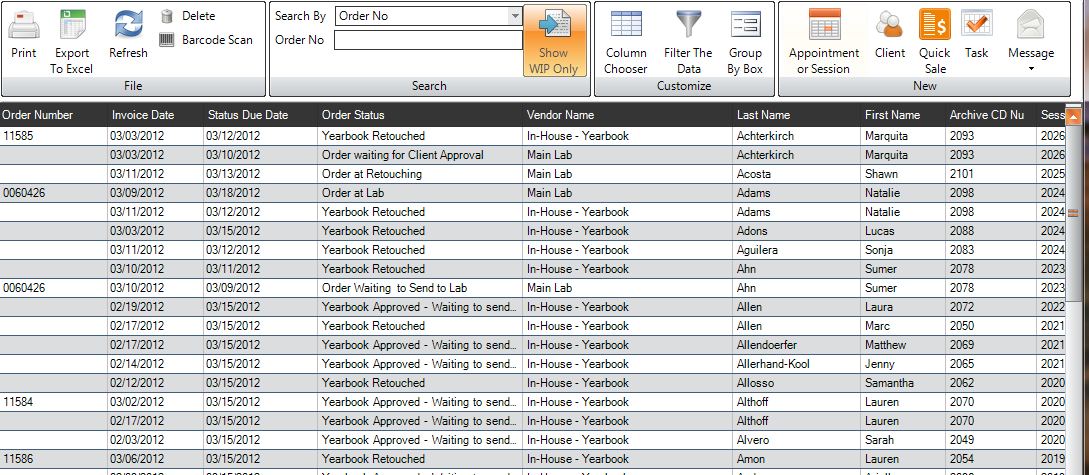
The Production Hub
You may also select which production or proof orders are displayed, or search for an order using the Search box in the upper right corner. Click the down arrow next to the search window box and drag down to the type of criteria you want to use to display or search. Then, type the specific criteria in the search box and press Enter, or select the criteria from the drop-down menu and press Enter.
Double-click a record to open the Production Order or Proof Order for that session. See the "Working With Production Orders" or the "Working With Proof Orders" chapter for more information.
