
 )
)(available in
)
The Phone Calls hub displays call records. The records displayed can be sorted by any of the fields shown. Just click the column heading and the records will sort by that column. Click again and the records are sorted in reverse order. See the "Customizing Hubs" section for more information on how to change the look of the Phone Calls hub.
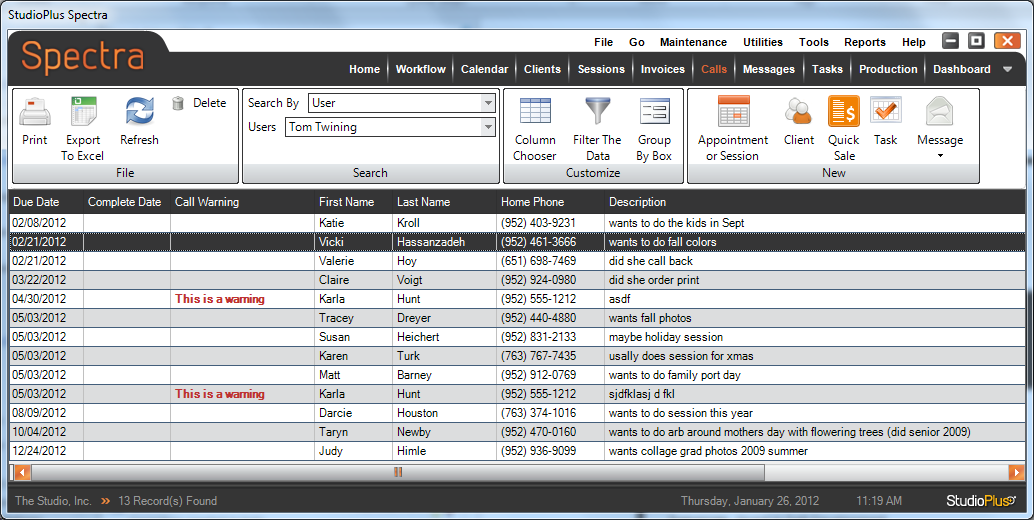
The Phone Calls Hub
The default view is for the logged in user, but you can change the selection to any user. Just click the Search by User drop-down to see the list of possible users and then click the desired user. Or you can view phone calls by using a Phone Call Filter. You can also view calls for all users on the Home Page. Double-click a record to open that Phone Call. See the "Communications" section in the "Working with Clients" chapter for more information.
