To set up your sales tax structure in Spectra/myStratus, go to Maintenance > Preferences > Company (Studio) Preferences > Invoicing.
- Select your Tax Method.
-
Tax added to invoice (United States) - Multiplies the invoice total by the tax rate to get the tax amount.
-
Dual taxes added to invoice (Canada) - Allows you to enter two tax rates. These are added together to get the total sales tax, while the sales tax rates show up on the invoice as two tax lines.
-
Tax included in item price (Other Countries) - The tax is built into the price of each item and does not need to be added at the end of the invoice.
-
Tax added to invoice line items (United States) - If you choose this option, you will need to set the sales tax for item in your price list.
-
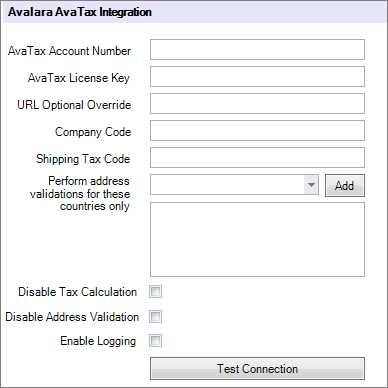
Automatic tax calculation (Requires Avalara AvaTax) - (available in

 ) Choose this option only if you have an Avalara account and are using AvaTax. With this option, you will also be required to set up the following information on the Integration tab in Company (Studio) Preferences. See Avalara Tax Integration for complete setup instructions.
- Click Sales Tax Maintenance to open your list of sales tax rates. You will set up all the sales tax rates
you may need to use when invoicing. Note: This menu can also be found by going to Maintenance > Invoice > Sales Tax Rates.
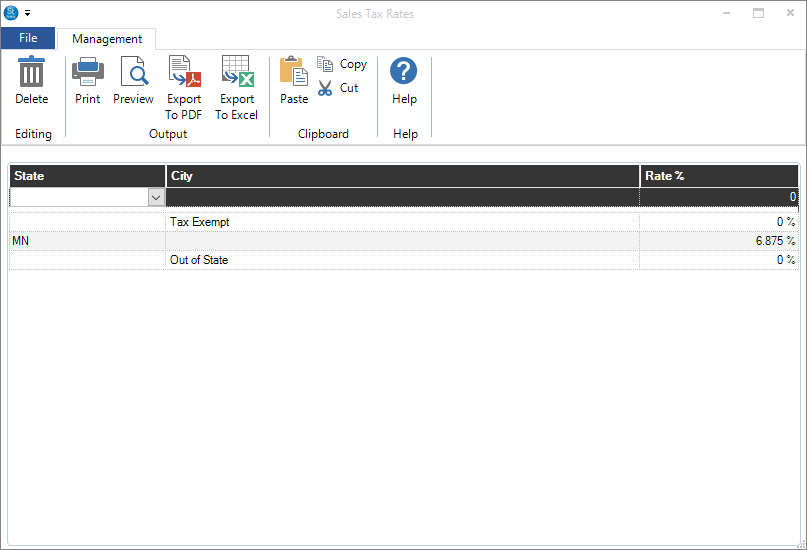
- Enter the State, City (or description), and the Rate as a percentage and press Enter.
- Close the Sale Tax window when finished.
- Click OK to save your invoicing preferences.